
aligner attachment viewer
Aligner Attachments in 3D: What Doctors and Patients Should See
Why an aligner attachment viewer matters: showing attachments on the right teeth and stages, and explaining them to patients before treatment starts.
· 1 min read · DentoSim
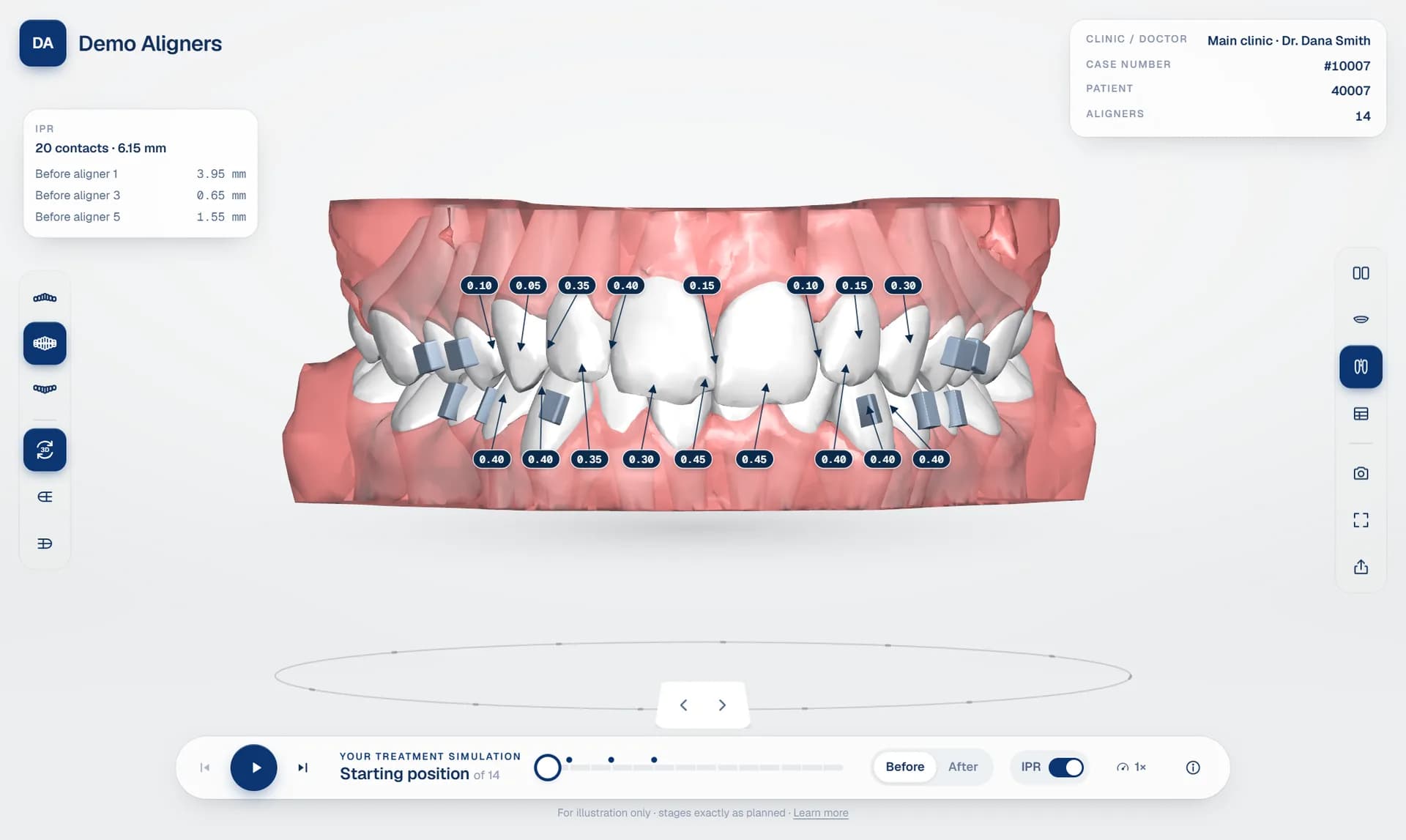
Attachments are small composite shapes bonded to the teeth so the aligner can grip them and deliver the planned movement. They are part of almost every aligner plan, and both doctors and patients ask about them. An aligner attachment viewer shows them clearly on the 3D model.
What the doctor needs to check
- Which teeth have attachments, upper and lower.
- From which stage: some attachments are placed at the start, others later in treatment.
- Whether they make sense with the movements in the tooth movement table, for example on teeth with large rotations or extrusions.
Separate attachments from teeth
In many exports, attachments are part of the tooth surface. A good simulation platform separates them, so they can be shown in a different colour and switched on or off. During playback, attachments should move with the tooth they are bonded to.
Explaining attachments to patients
Patients are often surprised by attachments on the day they are bonded. Showing them on the simulation beforehand avoids that surprise: the patient sees where they will be and understands that they help the aligners work. In a before and after simulation, they appear as part of the plan rather than as an unexpected extra.
Attachments with IPR and movements
Attachments, IPR and tooth movements tell one story. Seeing them together in a 3D aligner treatment viewer helps the doctor judge the whole plan rather than each part separately. In DentoSim, attachments are shown on the teeth and follow them through every stage. Explore the viewer.
Frequently asked questions
Why do aligners need attachments?
Attachments give the aligner something to grip, which helps it deliver movements such as rotations and extrusions.
Can attachments be hidden in the viewer?
Yes. In DentoSim's lab and doctor view, attachments can be switched on and off.
See it on your own treatment plans
DentoSim turns aligner treatment plans into 3D simulations for doctors and patients, under your lab's brand.